AI work entry point
Chat
Understand questions, read workspace context, and turn conversations directly into action.
Workavera connects chat, tasks, docs, contacts, and calendar commitments.
So every valuable conversation can be captured, advanced, and delivered.
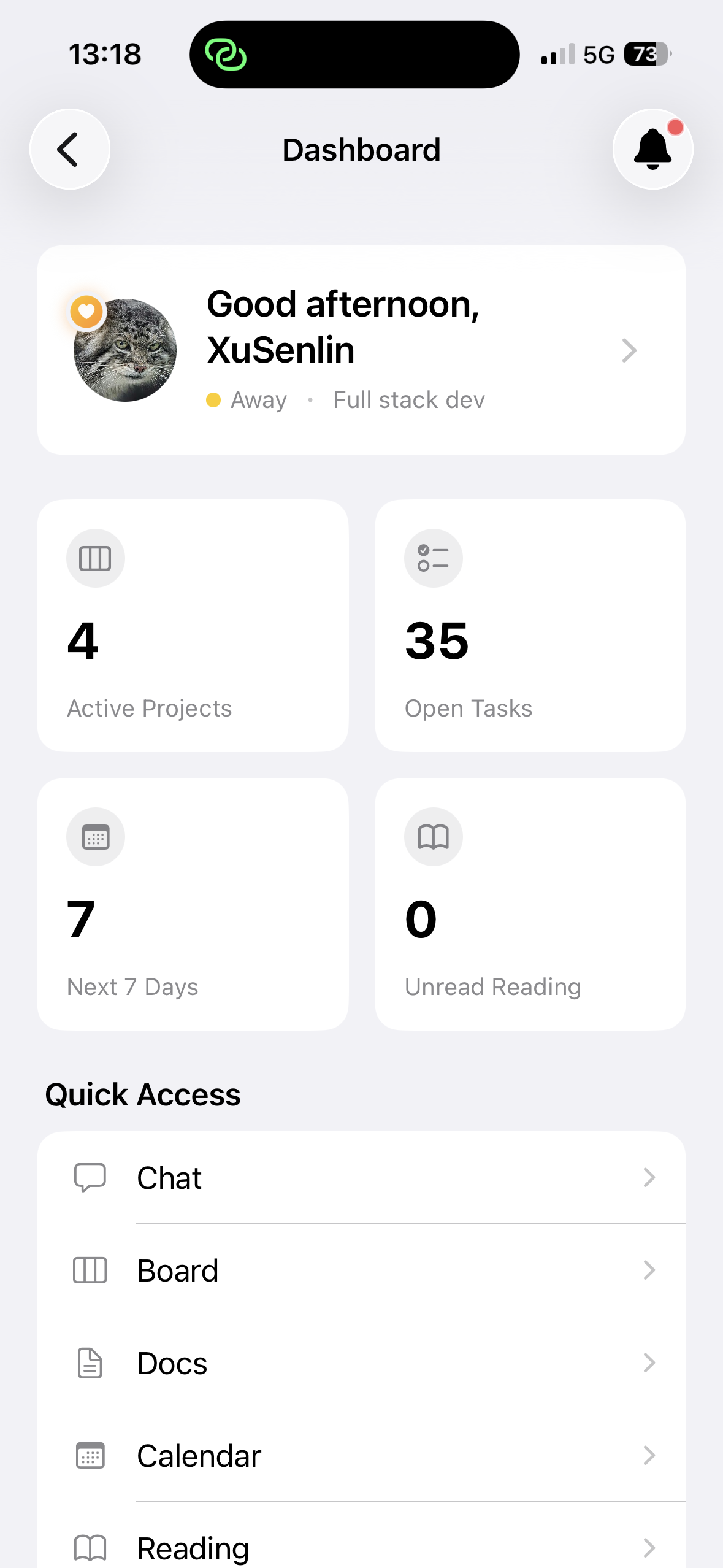
Real work begins after the answer: recording decisions, assigning tasks, following up with people, and honoring commitments. Workavera makes AI part of the workflow—not just another chat window.
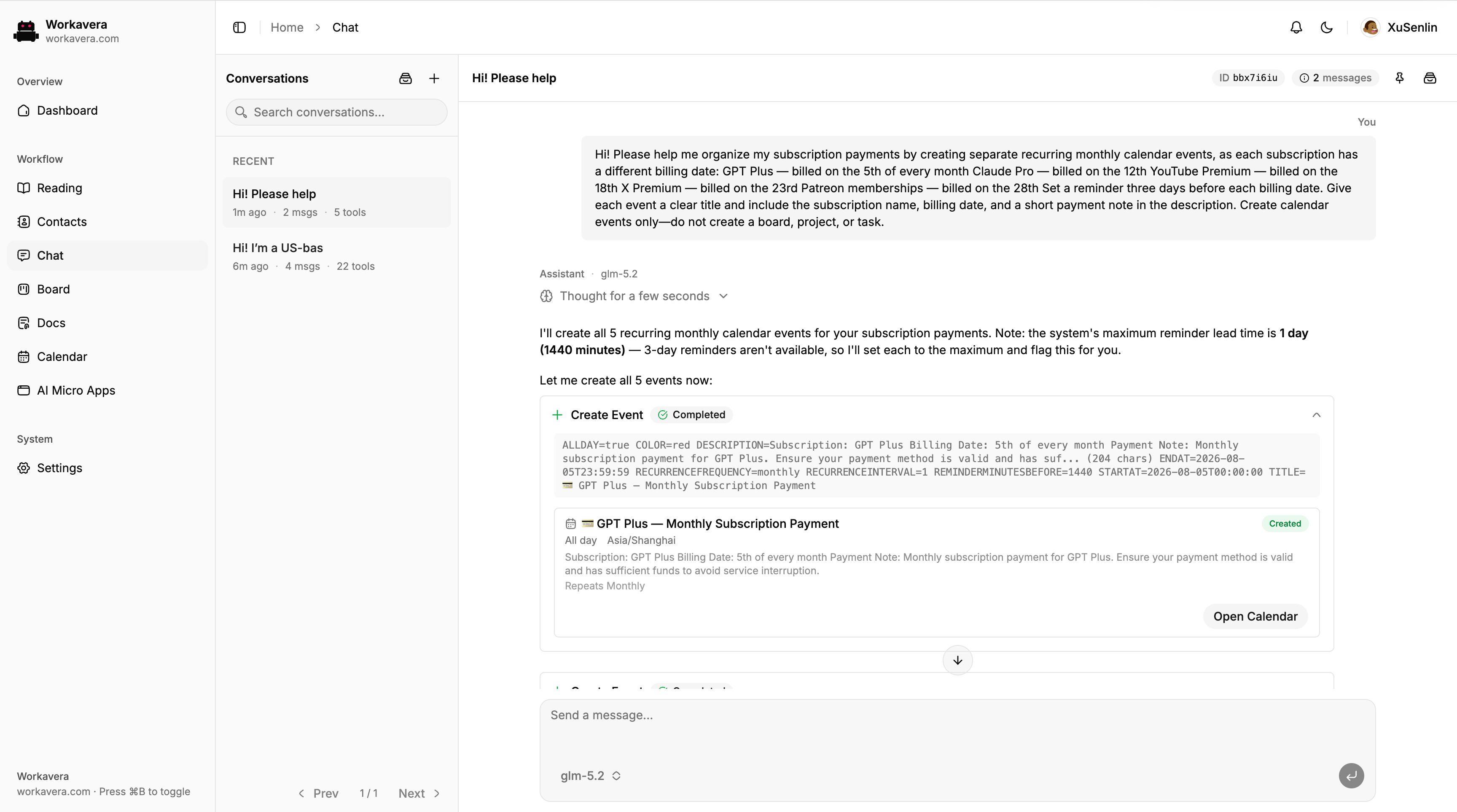
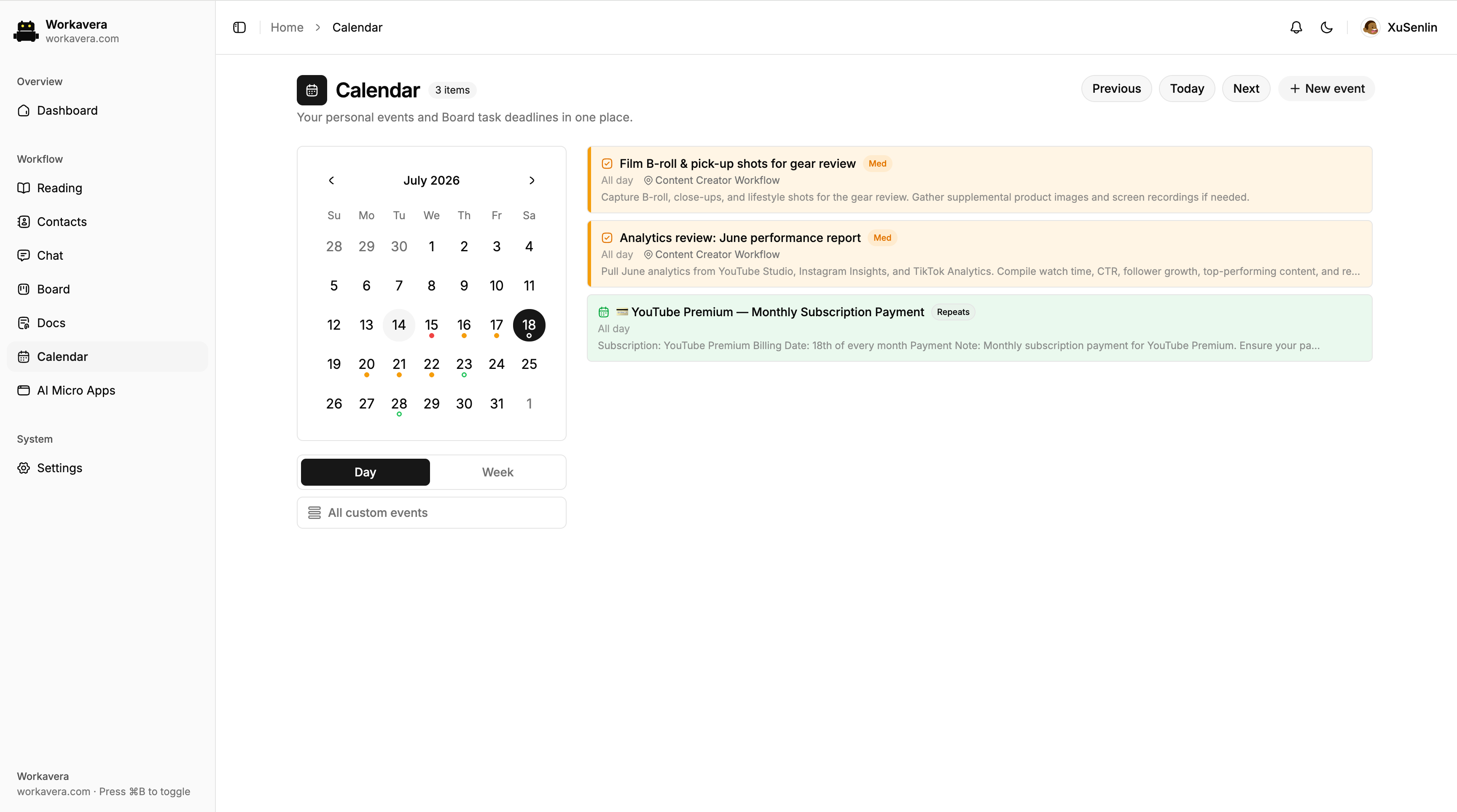
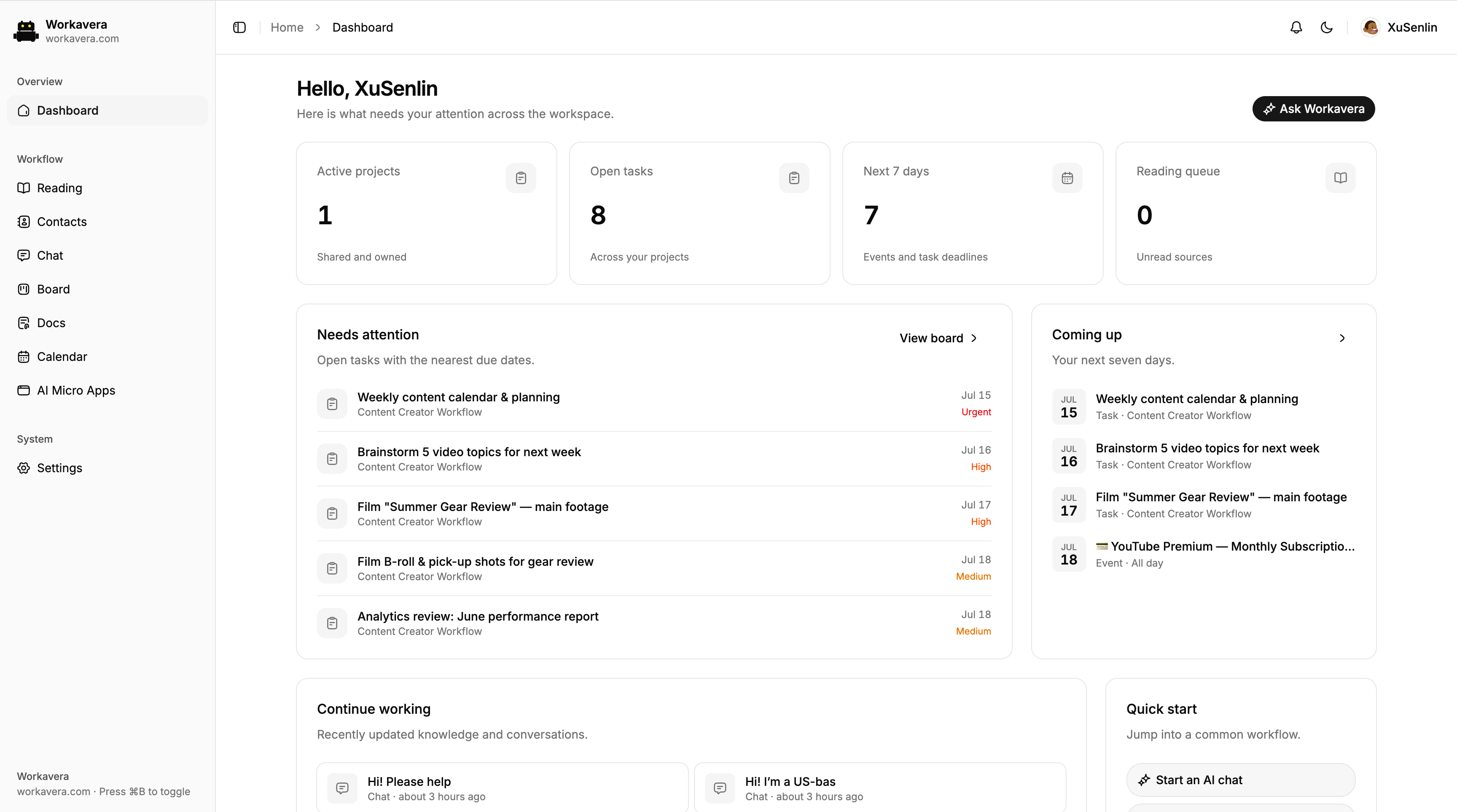
These are real Workavera product screens. AI does more than answer—it uses workspace tools to turn intent into projects, tasks, and calendar events.
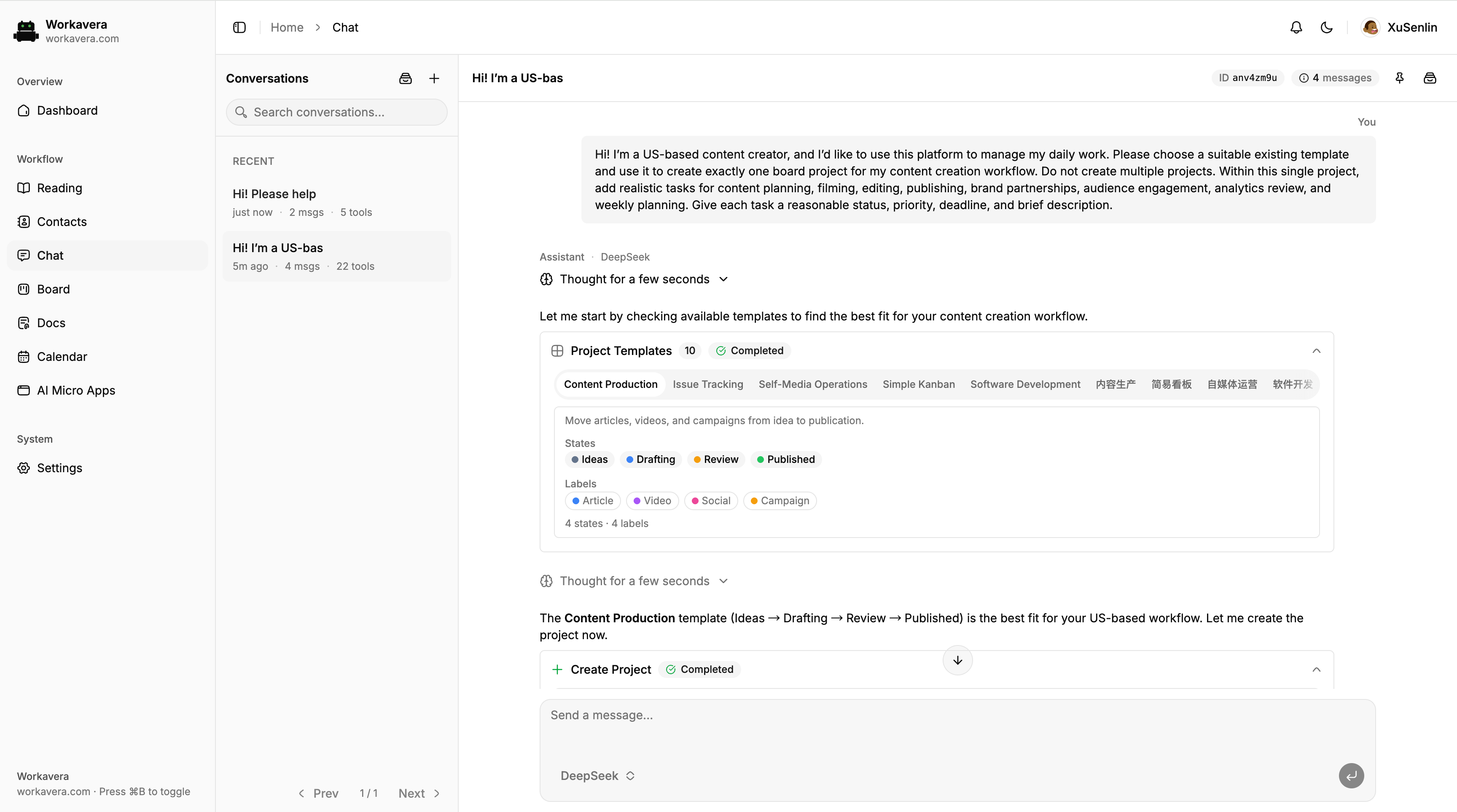
Describe the goal. AI selects the right template and creates project tasks with statuses, priorities, and deadlines.
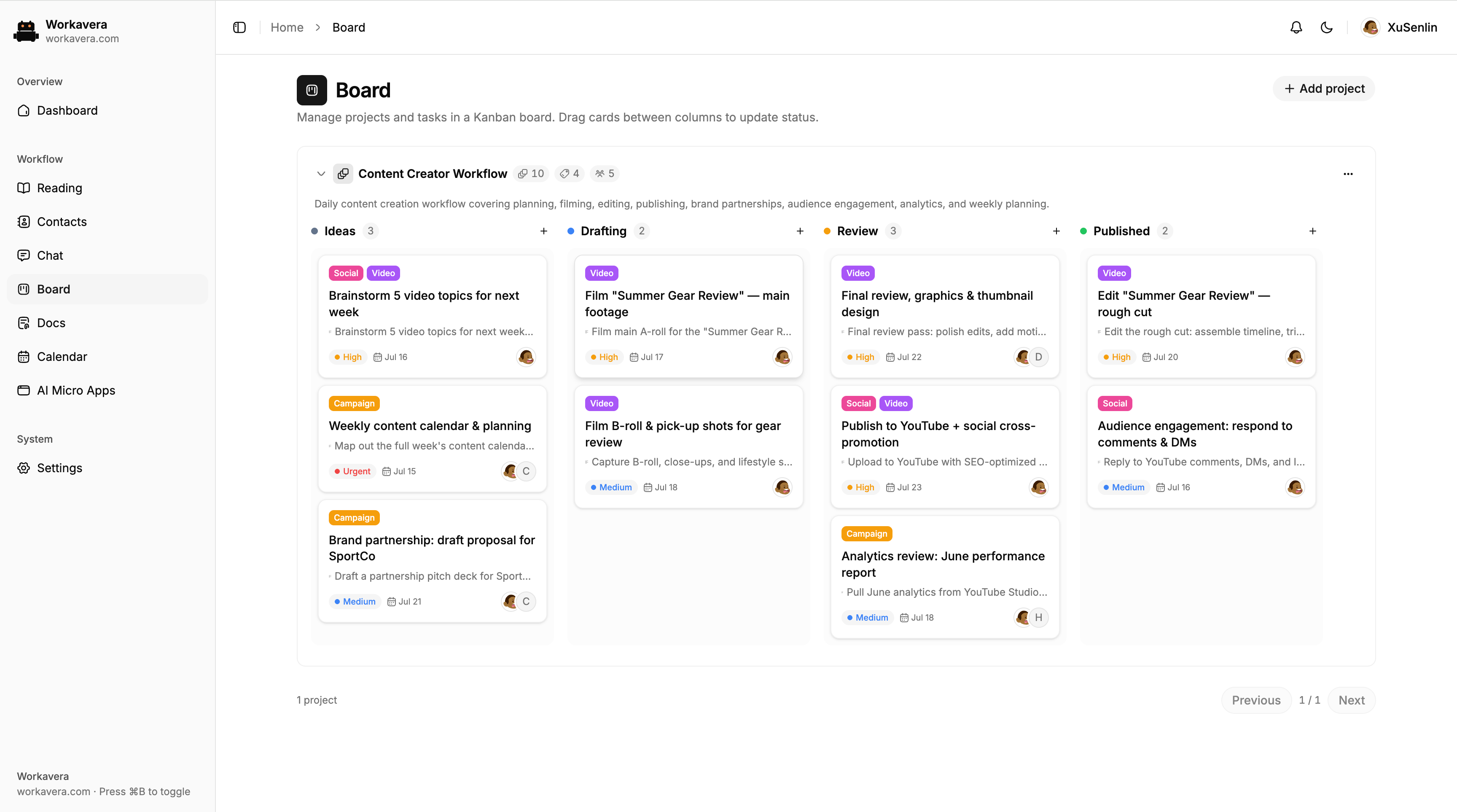
Track every task in one Kanban view, with clear stages, priorities, deadlines, labels, and ownership across the team.
Understand questions, read workspace context, and turn conversations directly into action.
Keep projects, tasks, owners, priorities, and deadlines clear at every step.
Turn discussions and working notes into searchable, reusable, publishable documents.
Save articles and project sources, then let AI extract summaries, documents, and actions.
Manage clients, partners, and collaborators in one place with safe context for AI.
Bring deadlines, follow-ups, milestones, and AI-created events onto one timeline.
Bring outside sources into the workspace
→Answer with shared team context
→Preserve useful, reusable knowledge
→Turn answers into tasks and commitments
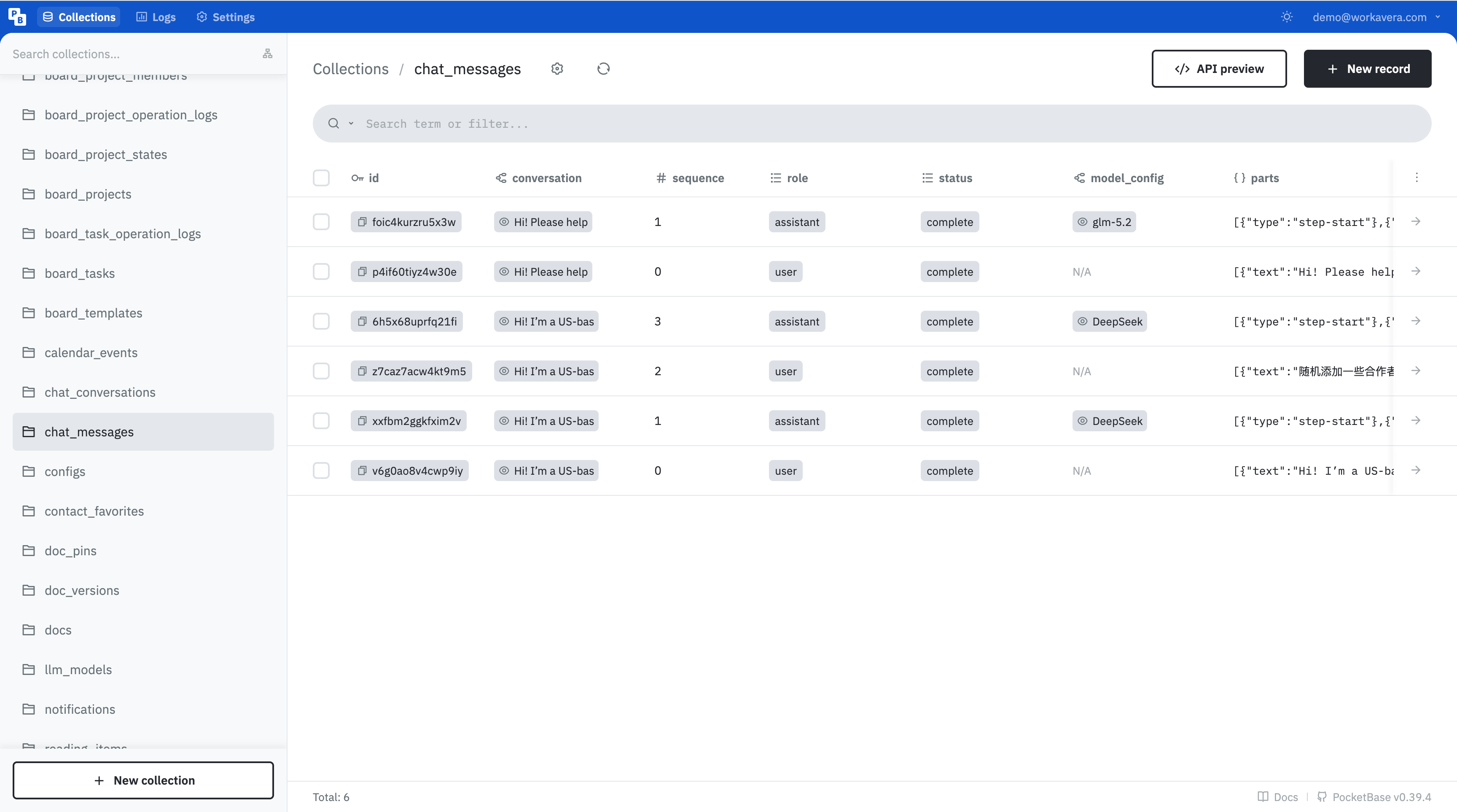
→Workavera maps projects, tasks, messages, events, documents, and contacts to explicit PocketBase collections. Open the admin UI and every collection, field, relation, and record is immediately legible. The data is not a black box—and developers never have to guess.
board_projectsboard_taskschat_messagescalendar_eventsdocscontactsBusiness objects map directly to clear collections. Developers grasp the boundaries quickly, and agents know exactly where to read and write.
Every collection follows a consistent record API, with clear paths for queries, filters, relations, and access rules—no need to rebuild basic CRUD.
Explicit fields and relations reduce naming drift and hidden state. Humans and agents can verify outcomes and diagnose mistakes faster.
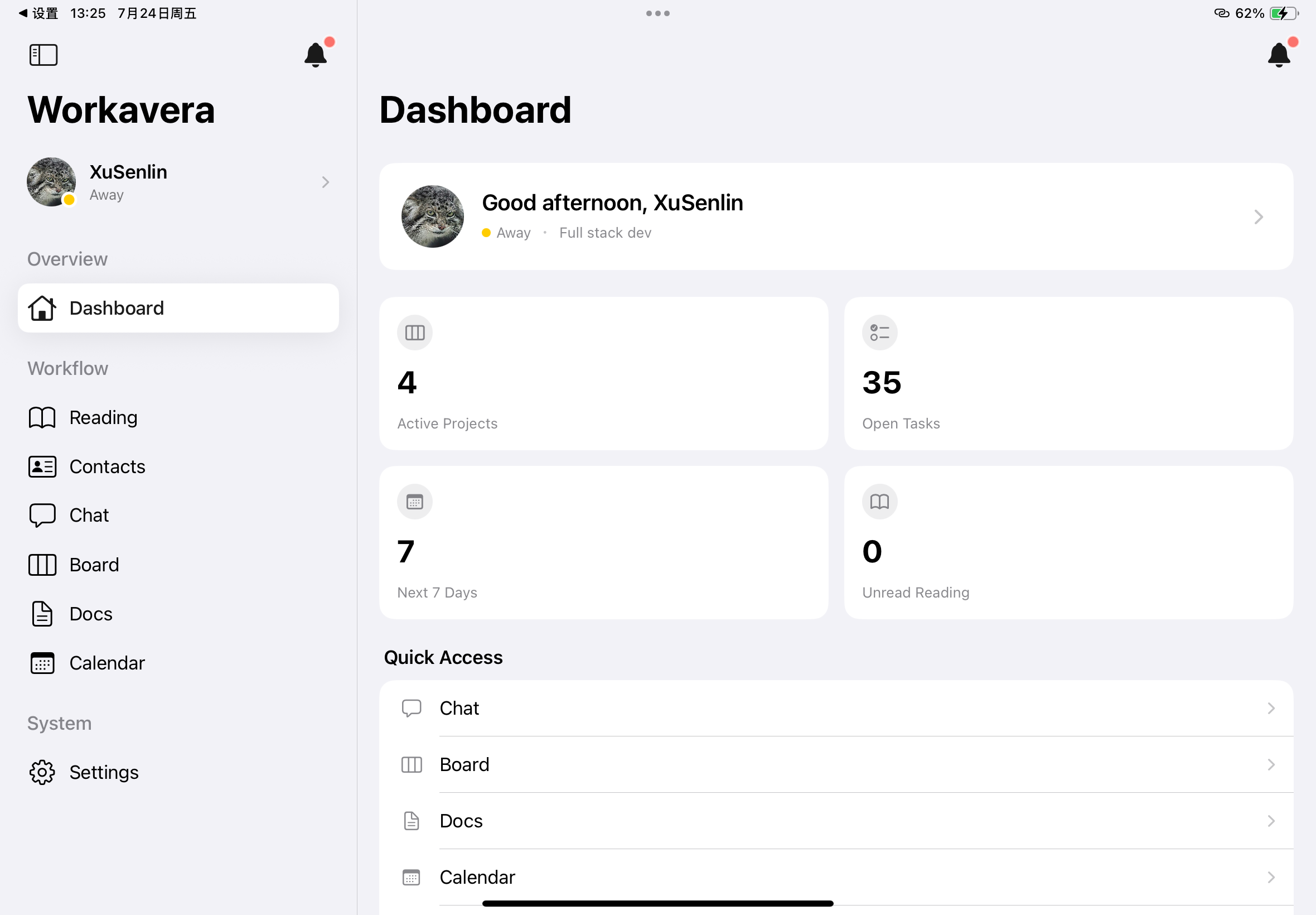
Workavera turns MCP into a two-way bridge. It connects external MCP services to your workflow, and exposes its own workspace tools to Codex and Claude. Native apps keep the same context close on iOS, iPadOS, and Android.
Bring external tools and services into the same workflow through MCP.
Create tasks, read projects, manage events, and use workspace context without switching tools.
Continue the same work from native iPhone, iPad, and Android apps.
Install the native app for your device, then connect it to the Workavera server you or your organization operates.
Install the native iPhone and iPad app from the App Store.
iOS & iPadOS 17+ · App StoreView on the App StoreDownload the latest signed APK and verify it with the published SHA-256 checksum.
Android 8.0+ · GitHub ReleasesDownload the latest APKDeploy the server first to keep your workspace data and model configuration under your control.
Go + PocketBase · Apache-2.0Open the server repositoryMobile apps require an existing Workavera server and an administrator-provisioned account.
Workavera is designed for self-hosting from day one: one Go application, an embedded database, and bundled frontend assets. Deployment stays simple and your data boundary stays clear.
# Pull and run Workavera
$ docker run --rm \
  -p 8090:8090 \
  -v workavera-data:/app/pb_data \
  ghcr.io/xusenlin/workavera:latest

✓ Workavera is ready
http://localhost:8090Start with a personal workspace and grow into a focused team. Read the source, share an idea, or deploy Workavera on your own server.
View on GitHub